
 Logos Kit
Permissions
Grants, approvals, and what an app can never do.
Logos Kit's rule is simple: apps ask, the user decides, and the wallet enforces. The policy lives in the wallet engine, not in any UI.
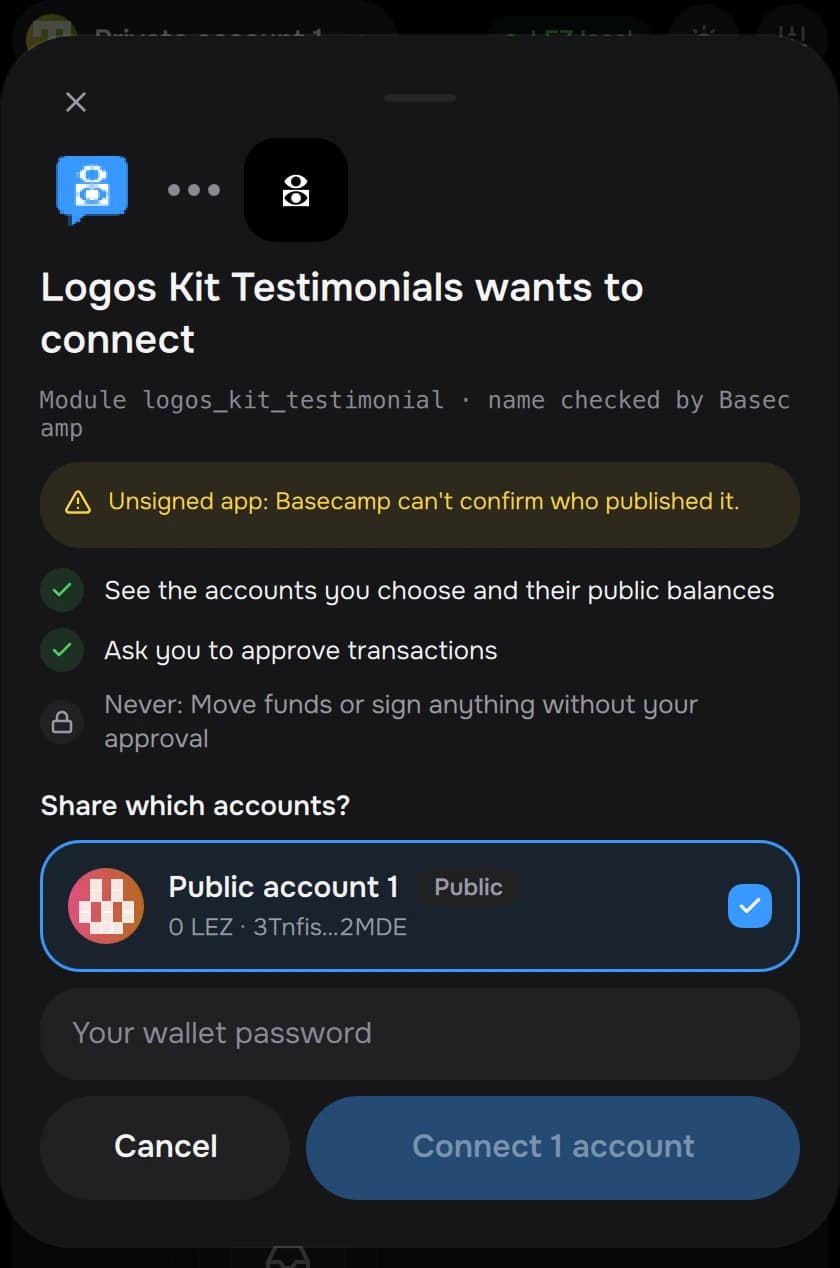
Grants
Connecting gives the app a grant: a set of capabilities on the accounts the user picked, for this zone.
| Capability | Lets the app |
|---|---|
accounts | See the shared accounts |
read_public | Read public balances and data |
read_private | Read a shared private account's balance (needs the private tick) |
propose_tx | Propose transactions (each one still needs approval) |
sign_message | Ask for message signatures (each one still needs approval) |
Grants are per app, per account and per zone. The user can revoke them in
Settings → Connected apps. A revoked app gets 4100 Unauthorized.
Approvals
A grant never lets an app spend. Every transaction and signature is approved in the wallet's own sheet, which shows:
- the requesting app (its icon and name, and the module name Basecamp attests);
- what the transaction does, decoded from the exact message being signed;
- the fee cap;
- the program, whether its source is verified, and whether it can still be upgraded.
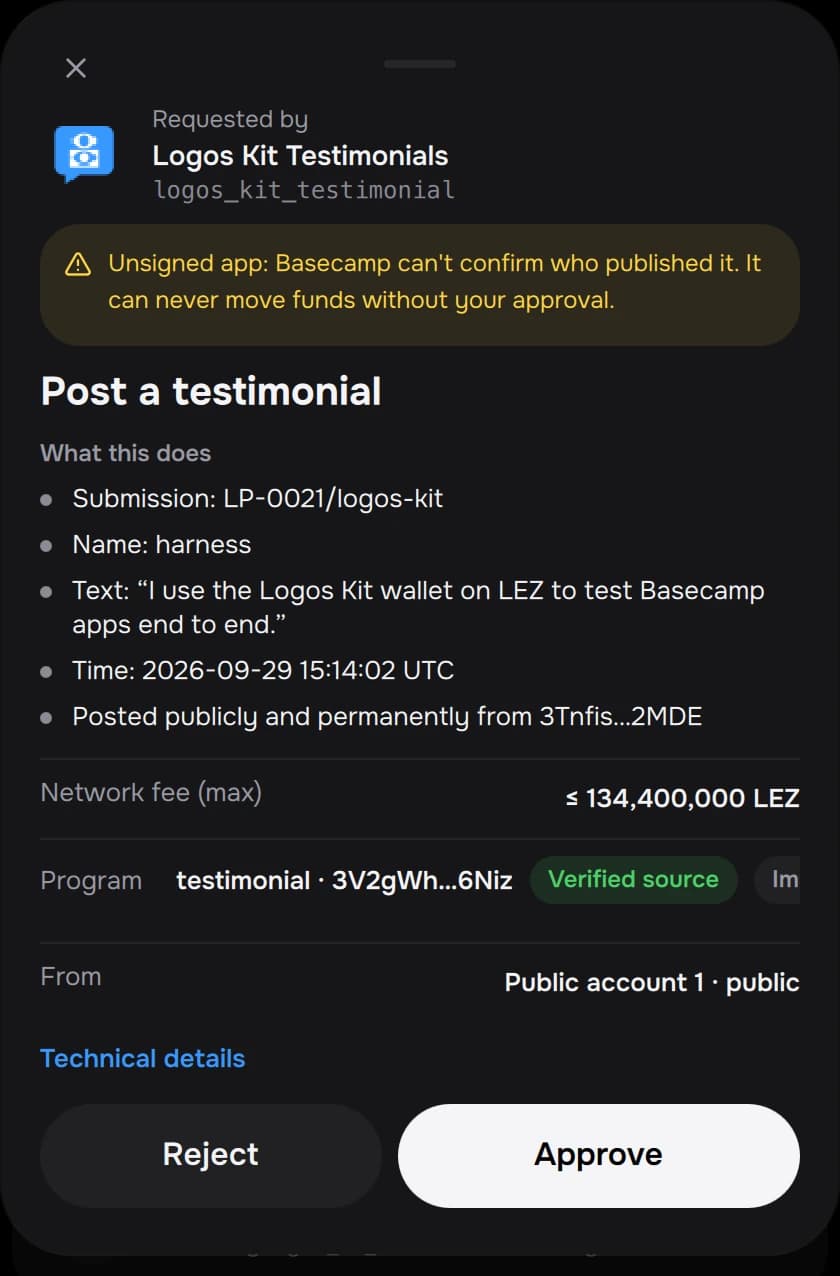
The password is asked again for private spends, large amounts and connects. Calls the wallet can't decode are marked, and need an explicit acknowledgement.
What an app can never do
- Read or export a key, or the recovery phrase.
- Sign or submit anything without the user's approval in the wallet.
- Learn a private account's id, or which private accounts exist.
- Approve on the user's behalf: only the wallet's own UI module can approve, and Basecamp attests who is calling.