
 Logos Kit
Accounts
Public and private accounts, what each one reveals, and how apps see them.
A Logos Kit wallet holds any number of accounts on a zone, all derived from one recovery phrase. There are two kinds.
| Public | Private | |
|---|---|---|
| Balance and history | Visible to everyone on chain | Only the owner (and the wallet) can see them |
| Sending | Signed and submitted by the wallet in seconds | Proved on the user's machine first: minutes, not seconds |
| Id an app sees | The account id (base58) | An opaque per-app handle, pvt_…, never the account itself |
| Good for | Posting testimonials, program authors, fees | Holding and moving value privately |
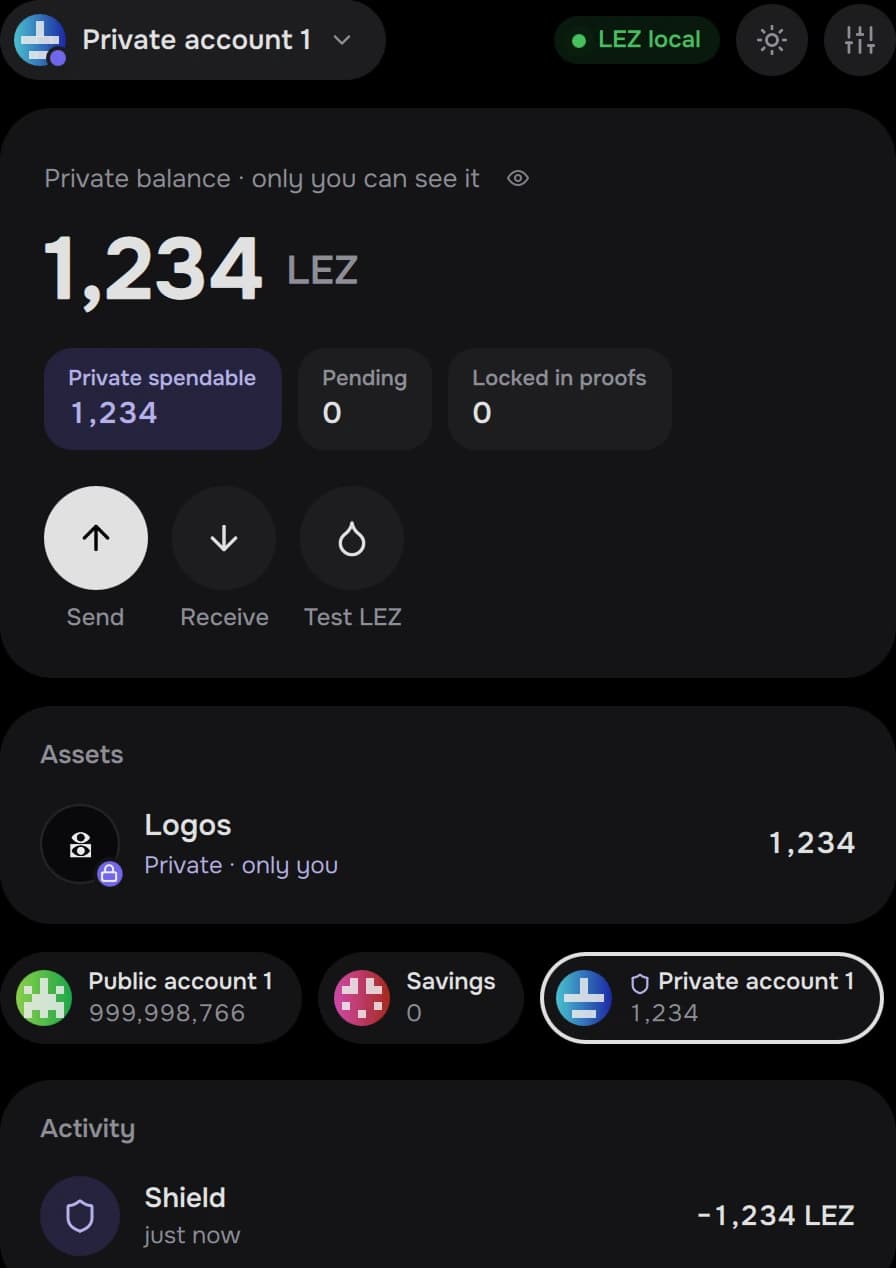
Moving between them
Transfers pick their route from the two accounts:
| From → to | Route | Proof |
|---|---|---|
| public → public | public transfer | no |
| public → your private | shield | yes |
| your private → public | deshield | yes |
| private → private | private transfer | yes |
Paying someone else's private account needs their public keys (a
nullifier key and a viewing key). The wallet can export them as a small keys
file that holds no secret: logos-kit account keys <account>.
What apps see
An app only ever sees the accounts the user chose to share in the connect
sheet. Private accounts need an extra, explicit tick; the app then receives a
pvt_… handle that means nothing to anyone else, including other apps.
kit.api.connect({ accountKinds: ["public", "private"] }).then(function (s) {
    s.accounts.forEach(function (a) {
        console.log(a.kind, a.address)   // "public" 9Qf…  /  "private" pvt_…
    })
})
Reads (getWalletBalance) and proposals (transfer, sendCall) accept the
handle. The wallet resolves it, checks the app's grant, and answers.
Labels, restore and backup
- Labels are yours:
logos-kit account label <account> "Savings", or rename in the wallet. They are stored in LEZ's own label map, so the official CLI sees them too. - Restore from the recovery phrase finds your used accounts again. A "first used around" date skips older blocks and makes the first sync much faster.
- Backups are encrypted files (
logos-kit backup export <file>); they need the password they were made with.
See Security model for how keys are stored.